
Most EHR systems weren’t built for how eye care practices actually operate. Here’s what changes when your workflows are designed around you.
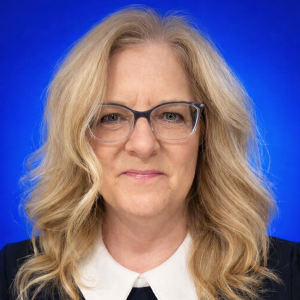
If you’re still free-typing your way through every exam, you’re not alone — and I say that with zero judgment. It’s one of the first things I hear from optometrists and ophthalmologists when we start talking about their EHR setup. I see doctors spending more time at the keyboard than with their patients, not because they want to, but because their software doesn’t match how they actually work.
I spent 15 years as an office manager in an eye care practice before joining Crystal PM. The doctors I worked for had very specific ideas about how they wanted their records done — and I became so relentless about figuring out how to make it happen that our Crystal tech support person eventually told me, “You need to stop calling. You need to learn how to do this yourself.” So I did. I became one of the first people to really learn the customization side of Crystal, and I fell completely in love with it.
When my doctors retired, I called Crystal and told them they needed to hire me. Fourteen years later, here I am. And my passion is still the medical record. Most of the time, the software is not the problem. It is how it was set up. Doctors are great at adapting. They just shouldn’t have to.
The Real Cost of a Non-Customized Optometry EHR
Every minute you spend free-typing in your EHR is time you are not spending with your patient. Multiply that across 20 or 30 patients a day, five days a week, and it adds up quickly. Then there is the mental load — remembering what to document, where it goes, and whether everything is complete before you can send a referral or close a chart.
Most out-of-the-box templates are not built for eye care. A generic EHR template designed for primary care does not reflect how an optometrist or ophthalmologist actually examines a patient. When it does not fit, people work around it. They type more. They stay late. I see it all the time, and it does not have to be that way.
What True EHR Customization Looks Like for Eye Care
At Crystal, we do not believe you should have to change how you practice just to fit your software. The system should match you.
I want to tell you about one of my favorite doctors. I love this man; I’ve eaten lunch with him and his wife. But his medical record? You would hate it. If I’m being honest, I hate it too. It doesn’t matter, though, because he loves it and it works perfectly for him.
Here is what we were working with: he is color blind, so every color in his interface had to be chosen around what he could actually see. He wanted his entire exam to fit on one screen with no scrolling, so I measured his monitor down to the millimeter — his monitor, not mine, because of course they are different sizes. And because he did not want to type at all, we built his entire exam around buttons.
That template took over 100 hours to build. He loves it, he sees patients efficiently, and — his words — his wife got her husband back. He goes home on time now. That is what the right setup can do.
Your setup probably will not take 100 hours. But the point is the same: Crystal can be built around how you see patients, what you need to document, and how you want to move through your day. That is what makes it different.
No Double Entry: From Patient Intake to Referral Letter
Here is the goal: enter it once and be done.
- Patient intake forms can live on your website, be texted or emailed as a link, or completed in your waiting room. When the patient submits, their information flows directly into the right fields in Crystal. No one on your team has to retype it.
- Exam templates built specifically for eye care, with calculation buttons and fields that match how you truly examine patients, mean you are documenting in real time, not piecing the visit back together after the patient leaves.
- Referral and correspondence letters pull directly from the exam. You finish the visit, click a button, and the letter is ready to fax, securely email, or print. The data is already there. You are not touching it again.
From the moment a patient books to the moment you close the chart, you should not be entering the same information twice. That is not just a feature; that is the whole philosophy.
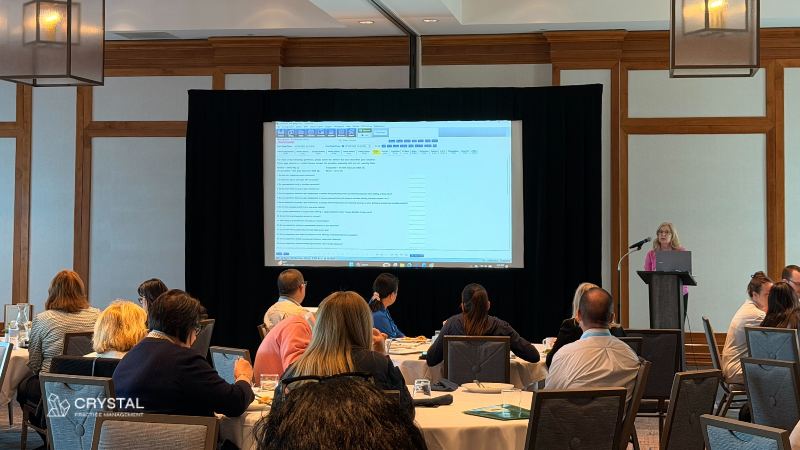
What’s New and What’s Coming
We have added integrated payments, online scheduling, and two-way patient texting — and what I love about the way we build these things is that they connect to what you are already doing instead of dropping another separate system into your day.
AI-assisted documentation is actively in development, along with a more modern interface. But the focus has not changed. Whatever we build still has to work the way your practice works. That part is non-negotiable.
Where to Start
If you are already using Crystal PM and still free typing your exams, or your intake forms and letters are not connected to your charts, there is a good chance you have a lot of efficiency sitting unused in the software you already own. Most practices are not using Crystal to its full potential — and that is not a criticism, it is just an opportunity.
If you are on a different EHR and any of this sounds familiar — the late nights, the double entry, the template that was clearly built for someone else’s practice — come talk to us. We can show you what it looks like when the system is set up around you, not the other way around.
Less time at the computer. More time with your patients. That is still the goal, and honestly, it is the reason I do this work.
Already a Crystal PM user? Reach out to support and let’s get your templates and workflows set up the way they should be. New to Crystal PM? Schedule a demo and see what it looks like when it’s built around your practice.